

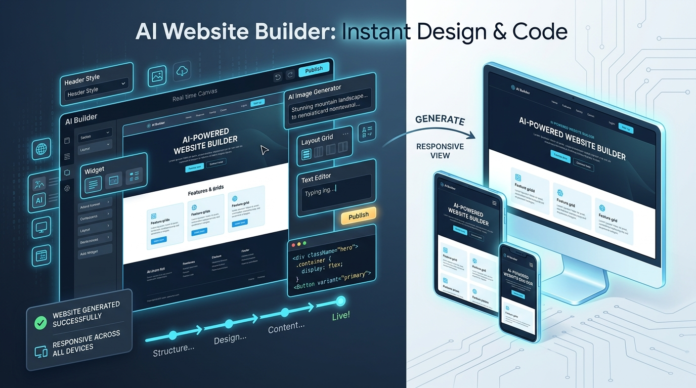


Launching a professional website used to require either thousands of dollars paid to agencies or weeks spent wrestling with complex code. In 2026, artificial intelligence has completely rewritten that narrative. Whether you are launching an e-commerce storefront, a freelance portfolio, or a local service business, finding the best ai website builder can reduce your launch time from months to under ten minutes.
Today’s platforms do far more than drop generic text into rigid pre-made templates. Modern AI tools generate custom layouts, write targeted marketing copy, source royalty-free images, and set up SEO parameters automatically through simple conversational prompts.
In this comprehensive guide, we test and review the top platforms to help you choose the best ai website builder 2026 has to offer for your specific budget and business goals.
How We Tested & Evaluated These Platforms
To evaluate these platforms fairly, we built the exact same business site—a boutique consulting agency—across every platform. We graded each tool based on four key pillars:
- Generation Quality & Layout Flexibility: How clean, modern, and customizable is the AI-generated design?
- Copywriting & Media Accuracy: How relevant and publish-ready is the generated text and imagery?
- SEO & Mobile Responsiveness: Does the site render flawlessly on mobile devices and include essential meta tags?
- Free Tier & Value: Does the free ai website builder option provide genuine functionality, or is it merely a restrictive paywall demo?
1. Wix AI Builder (Best Overall for Full Customization)
Wix continues to lead the industry by pairing deep AI generation with total drag-and-drop design control. By answering a few conversational questions about your business goals, Wix creates a fully customized site complete with booking forms, store setups, and responsive mobile layouts.
- Key Advantage: Unlike rigid grid generators, Wix lets you edit every single element manually after the initial AI prompt setup.
- Free Tier: Generates and hosts a free site under a Wix subdomain with access to basic features and standard storage.
2. Framer AI (Best for Designers & Modern Startups)
Framer AI brings Figma-like design sophistication directly into website building. By typing a descriptive prompt, Framer generates stunning, interactive layouts with smooth scroll animations and modern typography.
- Key Advantage: Industry-leading visual aesthetics and seamless vector-level editing controls.
- Free Tier: Includes a generous free tier with Framer branding and subdomain hosting.
3. Hocoos AI (Best for Rapid Business Onboarding)
If you need a functional multi-page business site built in under two minutes, the hocoos ai website builder is engineered specifically for non-technical users. It asks 8 simple questions about your service offerings and generates ready-to-use copy, contact forms, and service cards instantly.
- Key Advantage: Exceptionally fast onboarding tailored specifically to service-based local businesses.
- Free Tier: Allows free site creation with basic hosting and essential customization controls.
4. Elementor AI for WordPress (Best WordPress Integration)
For users who prefer the flexibility and control of WordPress, using a wordpress ai website builder like Elementor AI is the ideal solution. It integrates directly into the WordPress dashboard, allowing you to generate entire page wireframes, custom CSS tweaks, and multilingual content on the fly.
- Key Advantage: Complete ownership of your site data combined with the massive plugin ecosystem of WordPress.
- Free Tier: Core Elementor plugin is free; AI generation features include a free trial credit allowance.
5. Hostinger AI Website Builder (Best Budget Choice for Small Businesses)
Hostinger offers an all-in-one package that combines AI generation with built-in hosting, domain registration, and AI logo creation. It is optimized for speed and simplicity.
- Key Advantage: Includes built-in AI heatmap tools to predict where visitors will click on your page.
- Free Tier: Offers a live preview builder before committing to any paid hosting plan.
Key Features to Look For in an AI Website Builder
When selecting the best ai website builder for your project, ensure the platform includes these essential features:
- Custom Domain Support: The ability to seamlessly connect your own domain name.
- Responsive Breakpoints: Automatic optimization for desktop, tablet, and mobile screens.
- Native SEO Settings: Auto-generated meta titles, meta descriptions, and image alt text.
- Data Exportability: Freedom to move your content without lock-in restrictions.
Final Verdict: Which AI Website Builder Should You Choose?
- For maximum creative freedom: Choose Wix AI or Framer AI.
- For quick local business setups: Use the hocoos ai website builder.
- For WordPress power users: Opt for a wordpress ai website builder setup via Elementor AI.
Choosing the right platform allows you to test different layouts without upfront risk. We recommend generating a prototype on two platforms to see which editing interface best matches your workflow.
Also read:
Ukulele History
What is Chaturbate?
10 Best Free AI Image to Video Tools in 2026 (Tested & Ranked)