

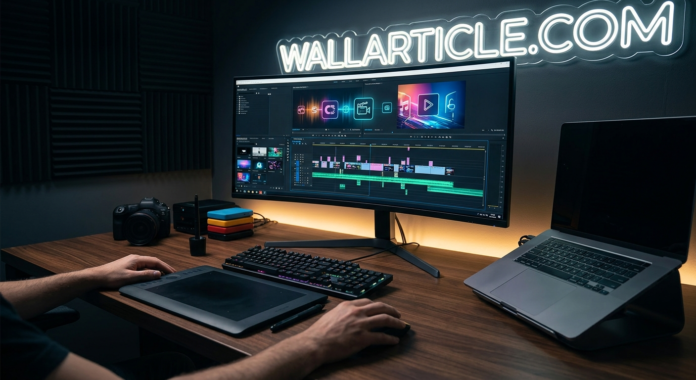


Video creation is no longer a bottleneck. As we move deeper into 2026, the traditional video editing process—hours spent scrubbing timelines, manually cutting pauses, and balancing audio—has been completely disrupted by artificial intelligence. Whether you are a solo YouTuber, a social media manager, or a professional editor at an agency, leveraging the best ai video editing tools 2026 is the only way to meet the crushing demand for fresh content.
The primary shift in 2026 isn’t just about automated editing; it’s about intelligent workflow acceleration. These tools don’t replace creativity; they remove the drudgery. They can instantly generate transcripts, reframe video for different aspect ratios, and even suggest the best cuts based on pacing and emotion. With an ai auto video editor, tasks that once took days are finalized in minutes.
In this tested guide, we cut through the hype to rank the most efficient, professional-grade, and innovative AI tools changing the video landscape.
How We Tested & Evaluated These Video Tools
To find the genuine time-savers, we put these tools through a standardized creative workflow test. We used identical raw footage—a 10-minute multi-speaker interview and a 1-minute highly visual cinematic b-roll sequence—on every platform. We graded each tool based on four essential pillars:
- Workflow Acceleration & Efficiency: How much manual effort did the AI truly eliminate?
- Output Realism & Quality: Did the automated cuts, color, and audio sound professional, or disjointed?
- Feature Versatility: Did the tool offer unique AI functions (like ‘silence removal’ or ‘text-to-video’)?
- Integration & UX: Is the interface intuitive, and can it easily coexist with professional NLEs like Premiere Pro?
1. Descript (Best Overall for Text-Based Editing)
Descript is not just a video editor; it is a fundamental rethinking of the editing workflow. It transcribes your video instantly, and then you edit the video by editing the text transcript. If you delete a sentence from the transcript, the corresponding video clip is deleted. Descript’s most powerful feature is its automated studio-sound enhancement, which can save poorly recorded audio instantly.
- Standout AI Feature: ‘Overdub’ (AI voice cloning) lets you correct a spoken mistake by typing the new word, which the AI generates to match your voice seamlessly.
- Target Audience: Solopreneurs, YouTubers, Podcasters.
2. Adobe Premiere Pro / Firefly (Best for Professionals)
Adobe continues to dominate the professional market by deeply integrating AI into its established powerhouse. Its arrival of the Firefly generative AI model has unlocked a game-changing ai video editing premiere pro workflow. Now, editors can use simple text prompts directly within the timeline to add generative effects, extend clips, or even change the time of day.
- Standout AI Feature: Generative Extend and Text-to-Video effects fueled by Adobe Firefly, ensuring copyright safety.
- Target Audience: Professional Film & Agency Editors.
3. Wondershare Filmora (Best for Intermediate Creators)
Filmora has evolved into a feature-packed editor that balances power with an approachable interface. It has embraced AI across the board, making complex edits simple. Filmora is excellent at ‘Smart Cutout’ (AI object masking) and ‘Audio Ducking’ (instantly lowering background music when speech is detected). It is a highly capable, affordable automated video editing software for creators moving beyond basic cuts.
- Standout AI Feature: ‘AI Copilot’ is an interactive editing assistant that can suggest cuts, music, and effects contextually.
- Target Audience: Intermediate YouTubers, Social Media Managers.
4. CapCut (Best for Social Media Viral Content)
CapCut, developed by the creators of TikTok, is engineered for rapid, trends-based content creation. It is mobile-first but offers a powerful desktop version. Its AI power lies in one-tap viral effects: instant auto-captions, one-click background removal, and a massive library of AI-generated transitions and filters. Its new AI script-to-video workflow is a huge accelerator for rapid asset generation.
- Standout AI Feature: Instant ‘Auto-Captions’ and AI ‘Body Effects’ (tracking masks).
- Target Audience: TikTokers, Reels/Shorts Creators.
5. DaVinci Resolve (Best for Color Grading & VFX)
DaVinci Resolve is famous for its professional color grading, but its integration of ‘Neural Engine’ AI has made it a top-tier general editor. Resolve’s AI is subtle and powerful, handling advanced tasks like ‘Magic Mask’ (instant object isolation), automatic speaker recognition, and ‘Super Scale’ upscaling with incredible fidelity. It is an unbeatable best ai video editor free for advanced work.
- Standout AI Feature: ‘Magic Mask’ provides object tracking and isolation that is professional-grade and faster than manual rotoscoping.
- Target Audience: Aspiring filmmakers, VFX artists, and colorists.
6. Runway Gen-3 (Best for Creative Effects & Control)
Runway (specifically Gen-3 Alpha) is a powerhouse for specialized AI generation within the video workflow. Runway specializes in object removal (Inpainting), green-screen replacement, and, crucially, generating novel textures, styles, or entirely new cinematic backgrounds from simple prompts. Runway also features ‘Act One,’ a groundbreaking tool for transferring facial expressions from a source video to an AI-generated character.
- Standout AI Feature: ‘Act One’ facial expression transfer and advanced Text-to-Video generation.
- Target Audience: Experiential creators, music video directors, and motion designers.
7. Veed.io (Best for Simple Business Marketing)
Veed.io is a web-based, cloud-first editor designed for speed and simplicity. It targets marketers, HR teams, and corporate trainers who need professional-looking, branded videos without learning complex software. Veed automates the most common business editing tasks: adding brand kits, resizing for different platforms, and generating automatic subtitles in seconds.
- Standout AI Feature: Automatic subtitle generation and translation in over 100 languages.
- Target Audience: Marketing teams, corporate trainers, and HR managers.
Conclusion: Which AI Video Editor Will Speed Up Your Workflow?
The definition of “best” in 2026 is subjective and workflow-dependent:
- For pure editing speed on interviews or podcasts: Descript is unmatched.
- For professional agency and studio integration: Stick with Adobe Premiere Pro.
- For viral social content and trends: CapCut is the go-to.
- For high-end effects and object control: Choose Runway or DaVinci Resolve.
Choosing an automated video editing software is no longer about finding a tool to “do the work for you.” It is about selecting the intelligent assistant that integrates seamlessly into your creative process, allowing you to focus on storytelling, emotion, and pace.
ALSO READ
1) 10 Best Free AI Image to Video Tools in 2026 (Tested & Ranked)
2) The Ultimate Guide to the Best AI Website Builders in 2026
3)
Ukulele History: The Fascinating Journey of the World’s Cheeriest Instrument